
Full hardware check-up
CPU, graphics card, RAM (with XMP/EXPO), drives with their health and real speed, monitors, network and BIOS, each one with its gaming score.
WZ Control checks your PC, applies the tweaks that really help and shows you live what limits your FPS, your input lag and your connection. All in a single Windows app.
Windows 10 and 11 · NVIDIA and AMD · v2.0.2 · October 25, 2026
WZ SUITE 🎧 WZ Audio, 🛡️ WZ Defender, 🎬 WZ Creator and 🎯 WZ Meta (coming soon) ↓Five free, independent apps: install only the ones you need.




From the hardware check-up to live streaming: no need to know about settings.
CPU, graphics card, RAM (with XMP/EXPO), drives with their health and real speed, monitors, network and BIOS, each one with its gaming score.
Over 80 points checked in Windows, the NVIDIA or AMD driver and Warzone’s config file. Everything backed up, with a button to revert.
FPS, 1% and 0.1% lows, frametime, full input lag, what limits your FPS, CPU, GPU, temperatures, VRAM, RAM and ping to the match server.
Your metrics grouped on top of Warzone, like RTSS, and ready to capture in OBS or TikTok LIVE Studio. It isn’t injected into the game: it’s a separate window that lets clicks pass through.
Detects every match, saves its sheet and tells you whether it was better or worse than the previous one and why. Includes a guided render-thread analyzer (RendererWorkerCount).
Analyzes the path to the server hop by hop, tells you where every millisecond is lost and whether an ExitLag-style optimizer would really help you.
Disables services, telemetry and apps you don’t need for gaming, without touching the essentials. And pauses what gets in the way only while you play.
While you play, it lowers the priority of browsers, launchers and cloud apps. It tells you how much it helps on your PC: ideal for modest rigs.
Record 30 s or more, compare before and after a change and get a plain-language verdict on what limits you the most.
Measures any game, emulator or benchmark that is rendering frames, not just Warzone.
Real WZ Control screenshots. Click any of them to see it full size.
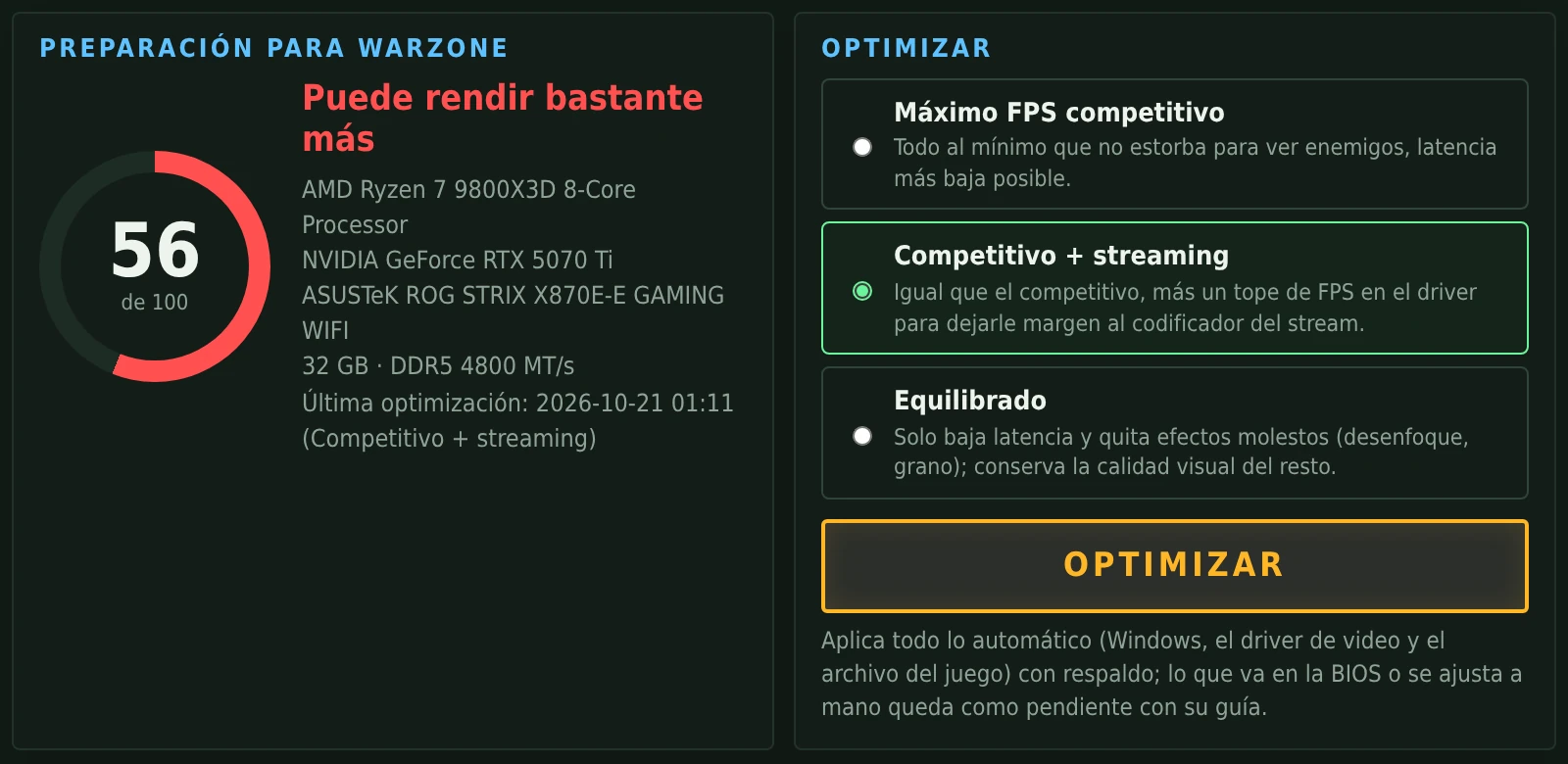
It analyzes your PC in seconds and tells you, with green, yellow and red lights, what’s fine and what’s worth changing. Pick a profile and press Optimize.
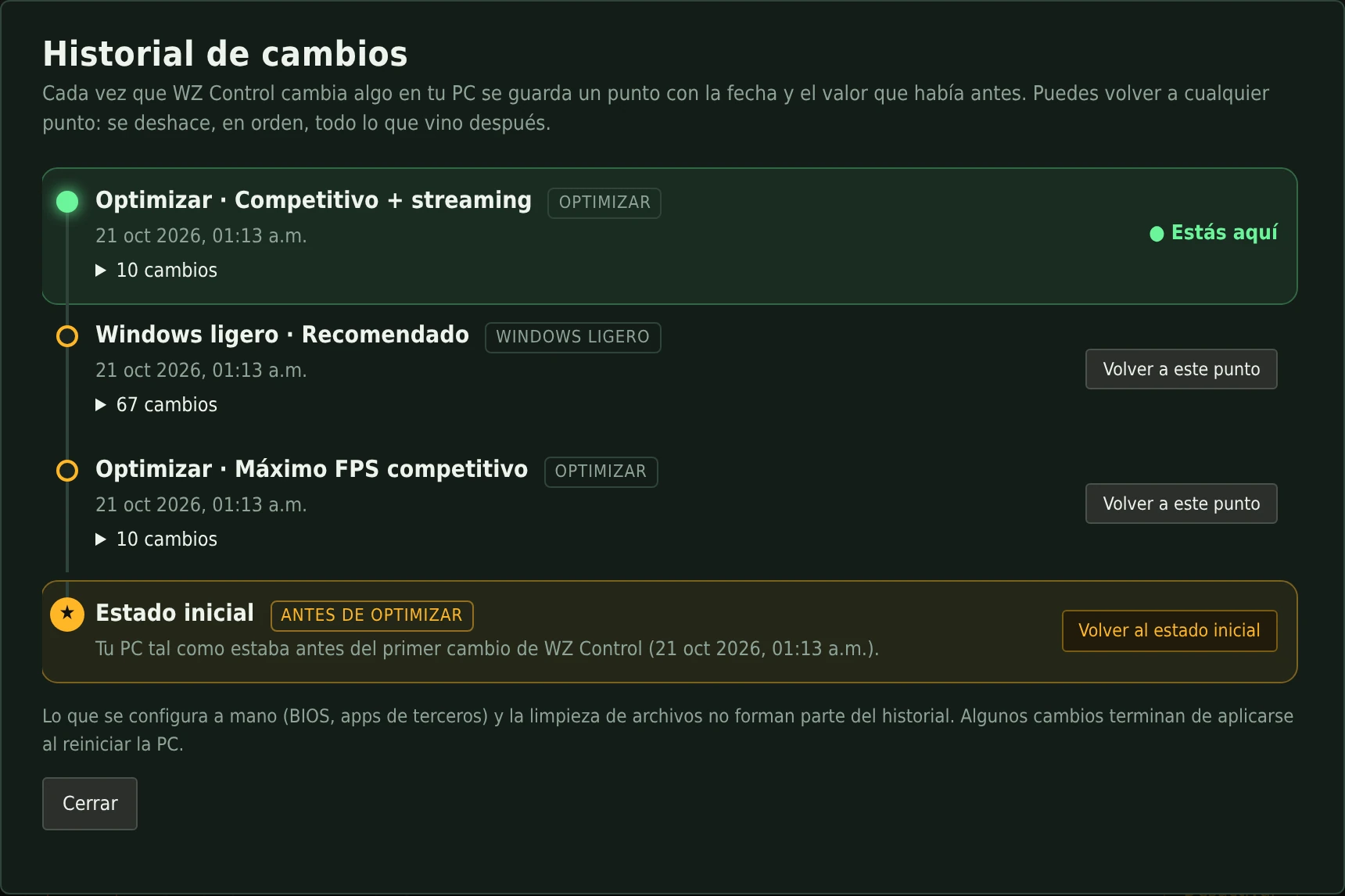
Every change WZ Control makes is saved with its date. If something doesn’t convince you, go back to the previous point… or to the initial state, the way your PC was before optimizing.
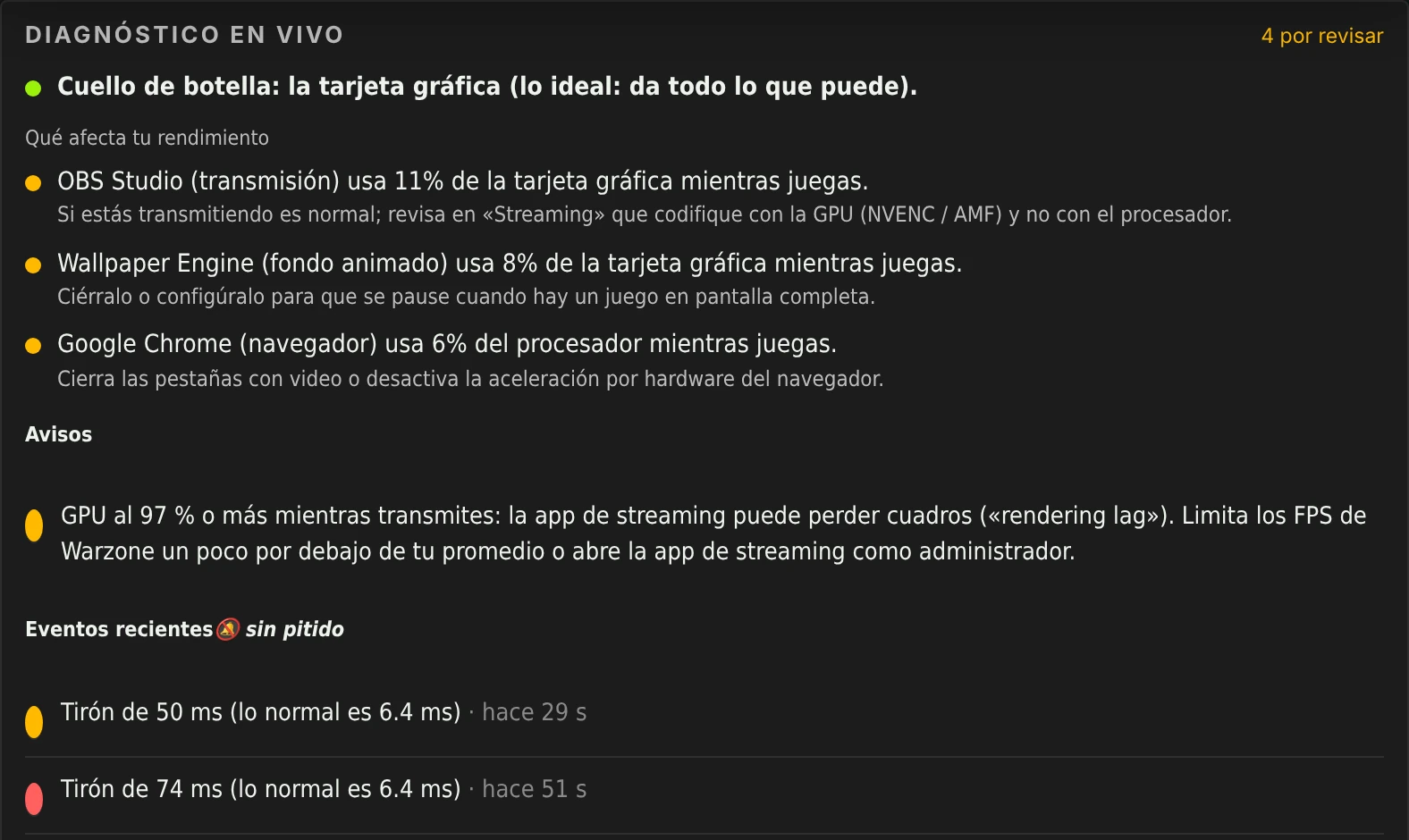
Your FPS, 1% low, input lag and latency live, plus a diagnosis that says what limits your FPS and which background program is stealing performance.
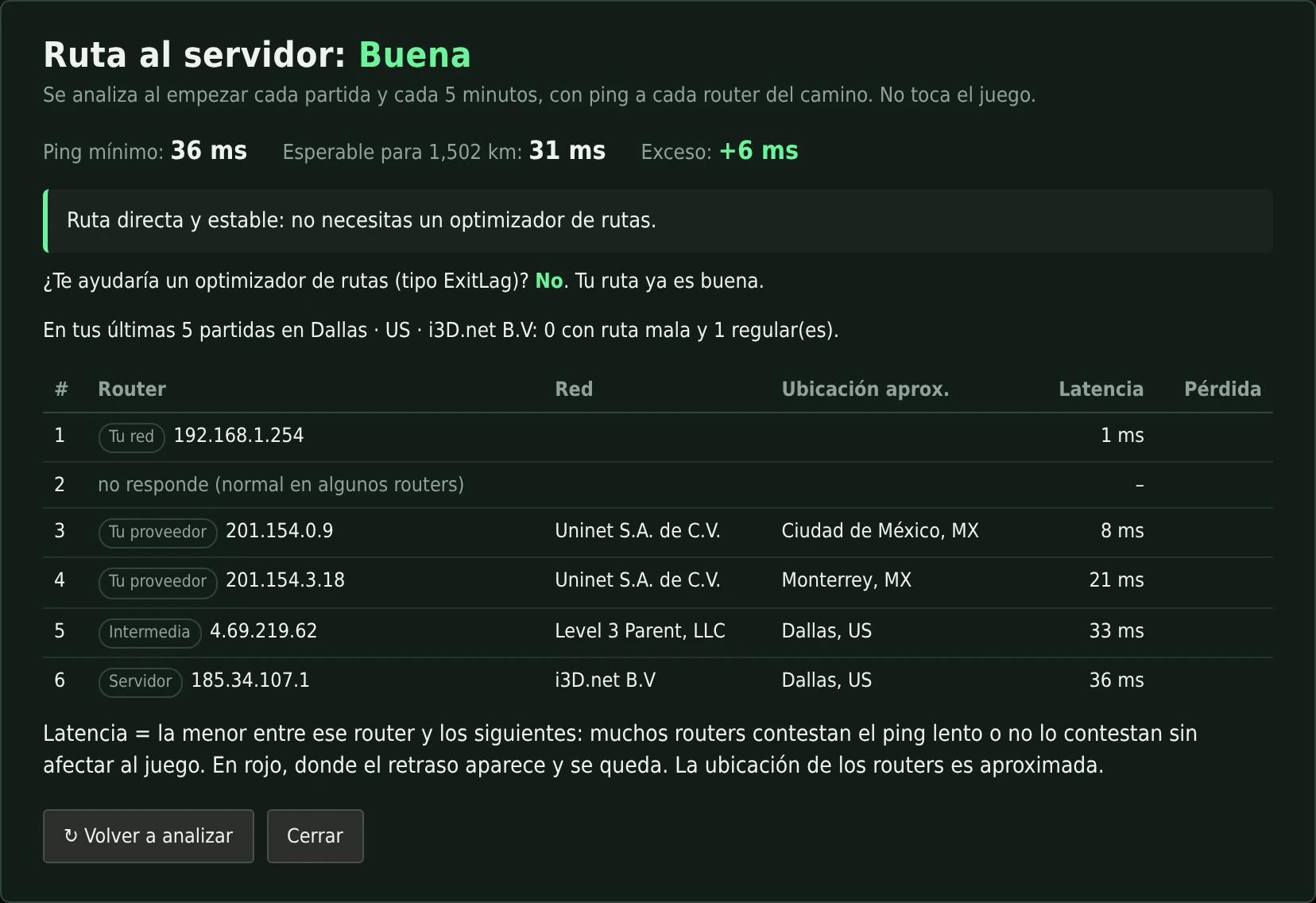
WZ Control traces the route to every match’s server and tells you whether the problem is your Wi-Fi, your ISP, a hop in between or the server.
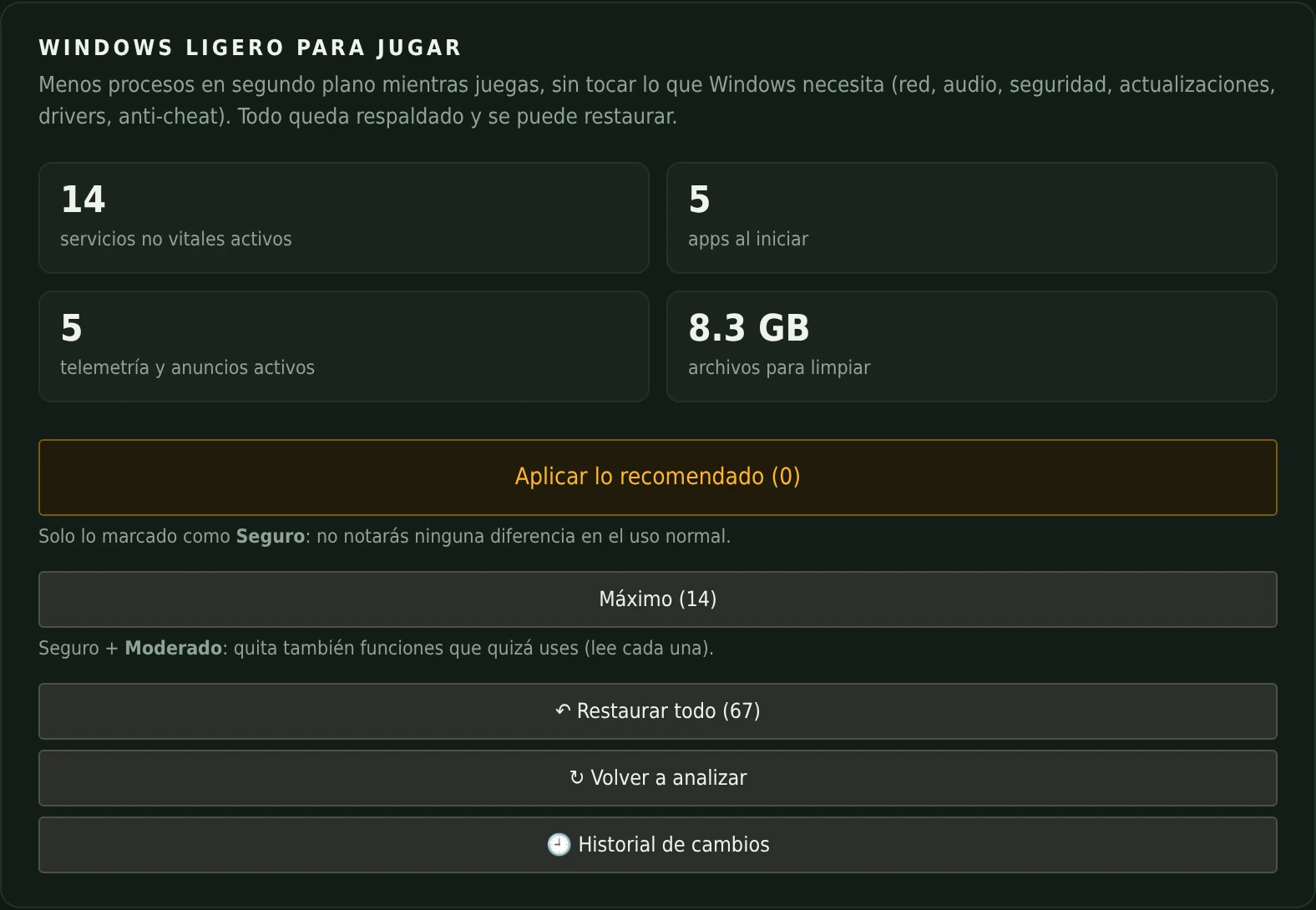
Services, startup apps, telemetry and leftover files. Apply the recommendations in one click: it only touches what’s safe and everything can be restored.
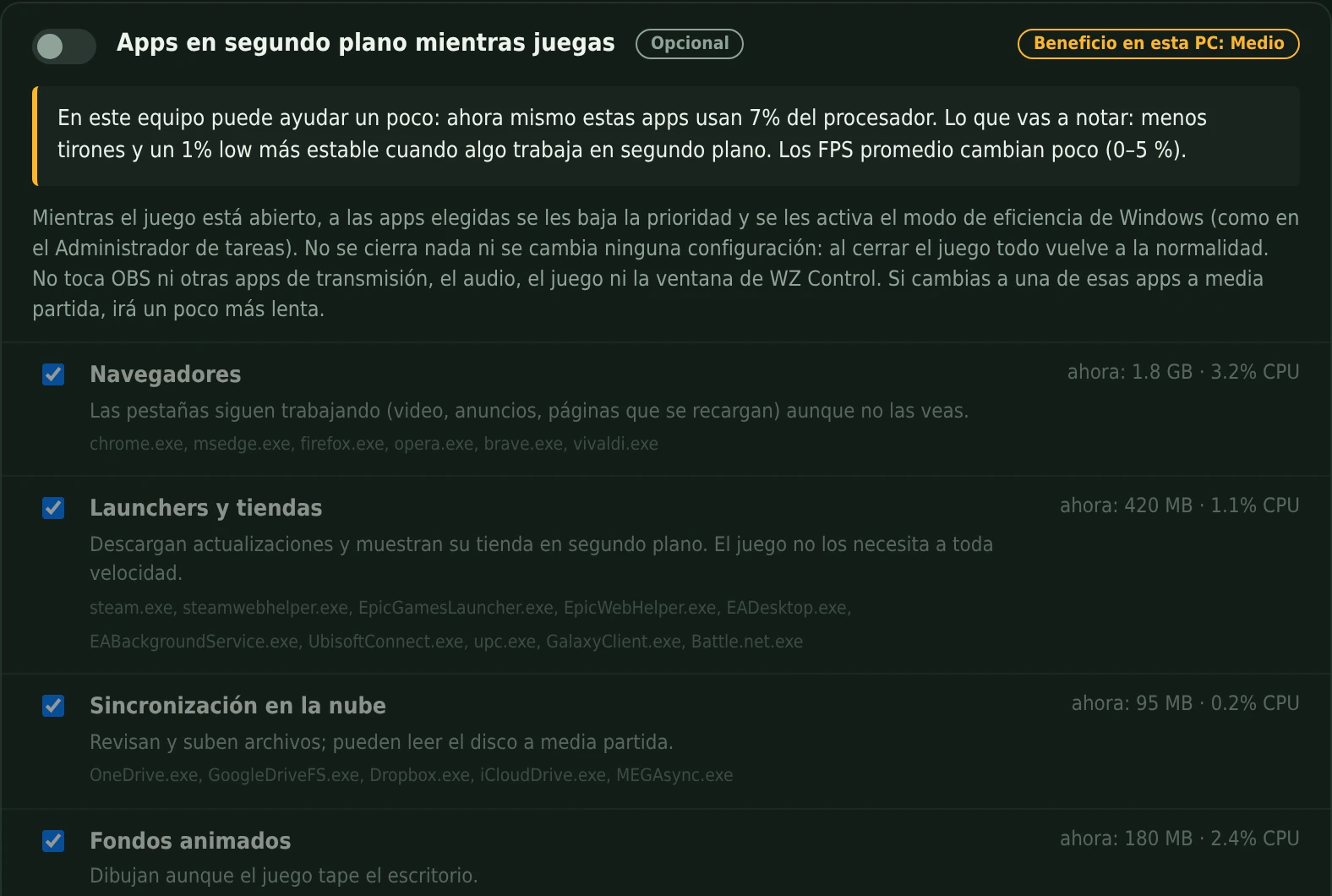
While the game is open, browsers, launchers and cloud apps step aside. The app tells you how much it helps on your PC before you turn it on.
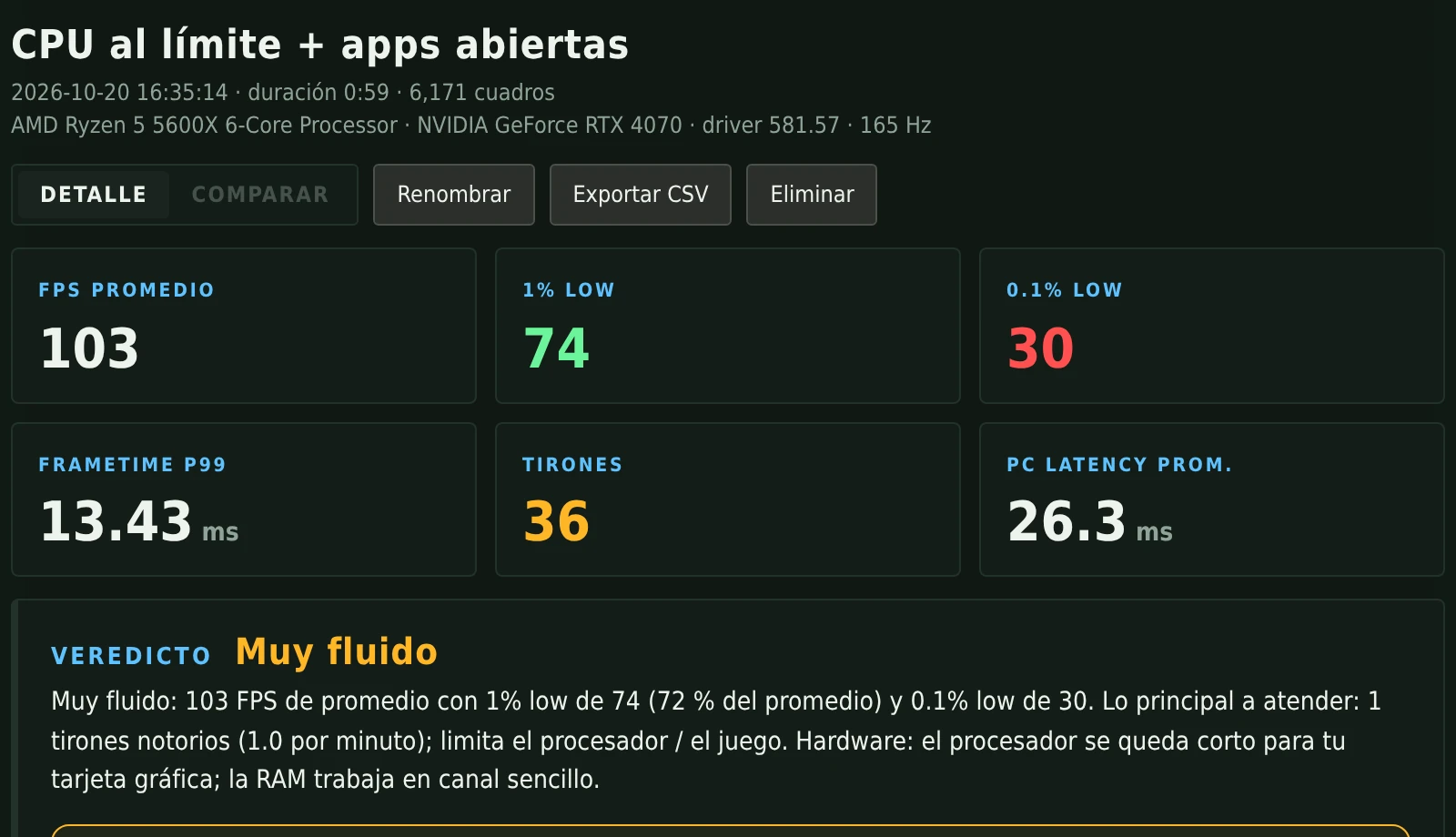
In game, press Ctrl+0 to record. The Analyzer tells you how smooth it was and what limits you; compare two captures to know whether a change really helped.
A full tour of the app: from the first check-up to the Analyzer. (Video in Spanish.)
Haven’t installed it yet? ▶First time? Watch how to install it step by step
WZ Control stays out of Warzone: it doesn’t inject code or read the game’s memory. FPS is measured with PresentMon, Intel’s official tool that uses the same Windows events as the NVIDIA App.

WZ Control was born from many nights of testing so that anyone can get the most out of their PC in Warzone. There’s no “Pro” version and no locked features: what you see is everything, for everyone.
The WZ suite is and will remain free. If it helped you gain FPS, hear footsteps better, understand your fights or your lag, a donation —any amount you like— helps me put more hours into it: testing on more PCs, adding features and keeping this site online.
Donating is 100 % optional: it doesn’t unlock anything, because nothing is locked.
Secure payment processed by Stripe. This site never sees or stores your card details.
Other ways to support →